Shout is the live map of where you live. See who’s out, hear what people are saying and find the plans taking shape around you. Then close the app and go and join them.
Free. 18 and over. You choose when you’re visible.
On iPhone now. On Android, or anything else, use the web app today.
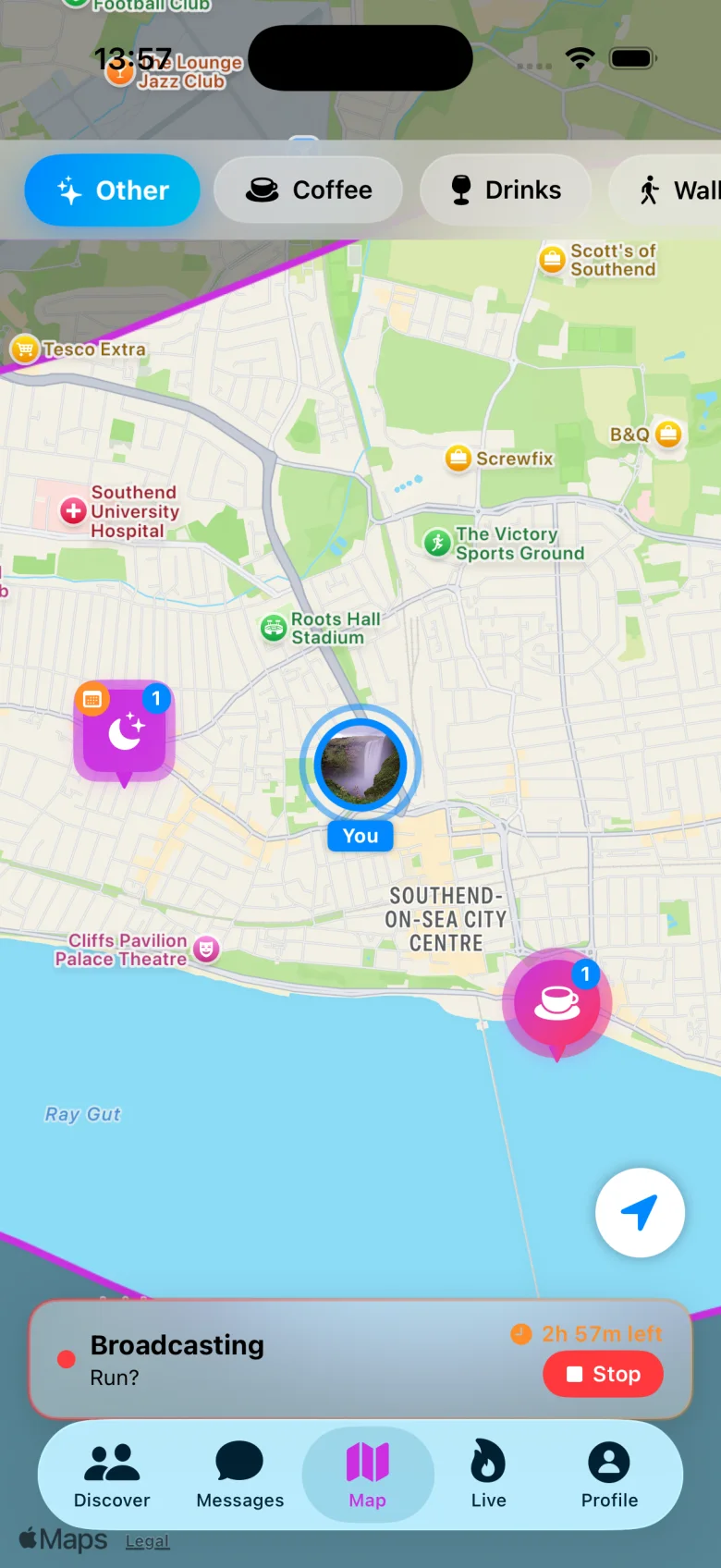
Fig. 1The live map over Southend-on-Sea. The blue ring is you, broadcasting. The pink pins are hangouts open nearby.
(01)The idea
Group chats go quiet. Feeds show you last week, somewhere else. Shout shows you this evening, within walking distance, and gives you half a dozen ways to be part of it.
(02)What’s inside
Everything happening,on one map.
01The map
The whole town, in real time.
People who’ve gone live, tonight’s events, open hangouts and fresh shouts, all pinned where they’re actually happening. Filter by mood: coffee, drinks, a walk, a game.
02Go live
Four ways on to it.
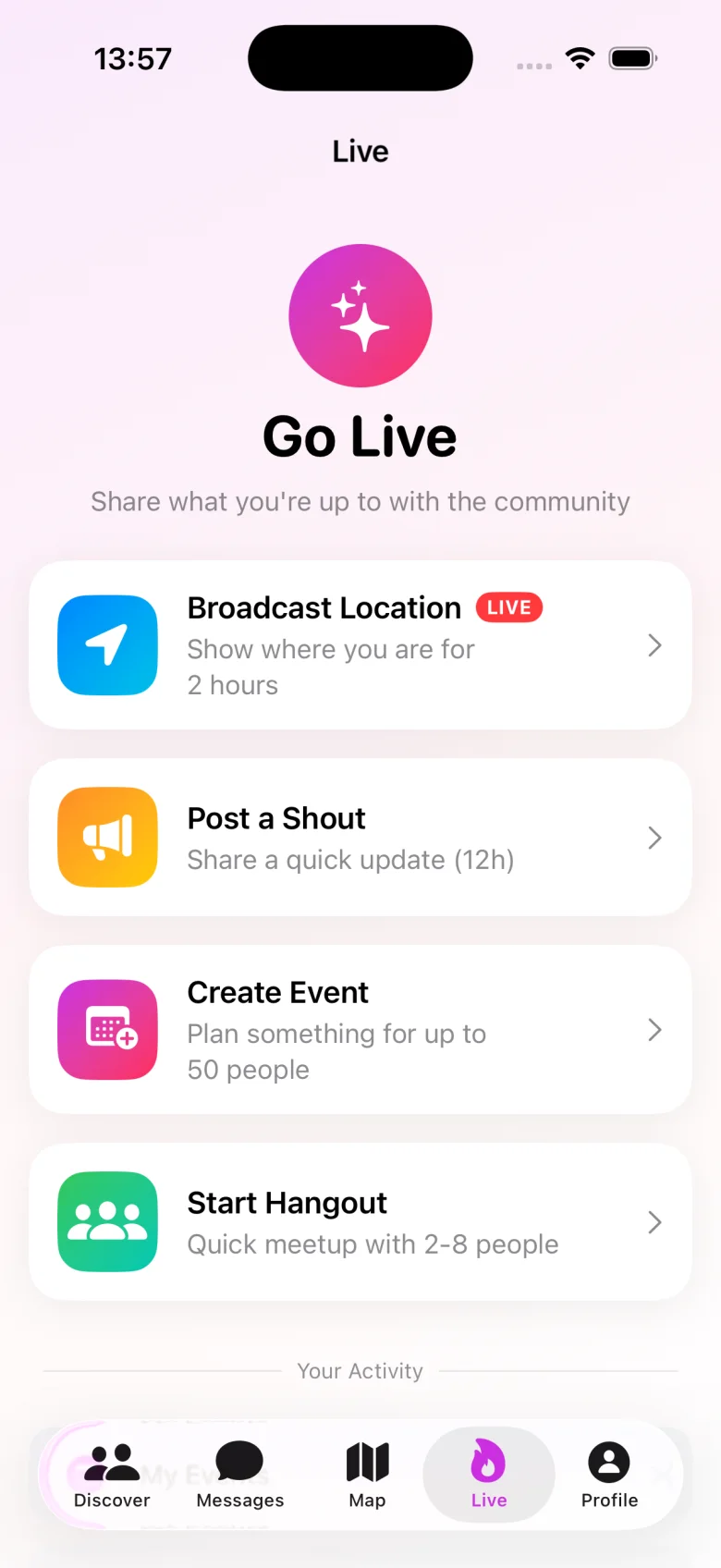
Broadcast where you are for a few hours. Post a shout. Put on an event. Start a hangout. Each one is a single tap, and each one switches itself off again.
03Hangouts
Small, soon, simple.
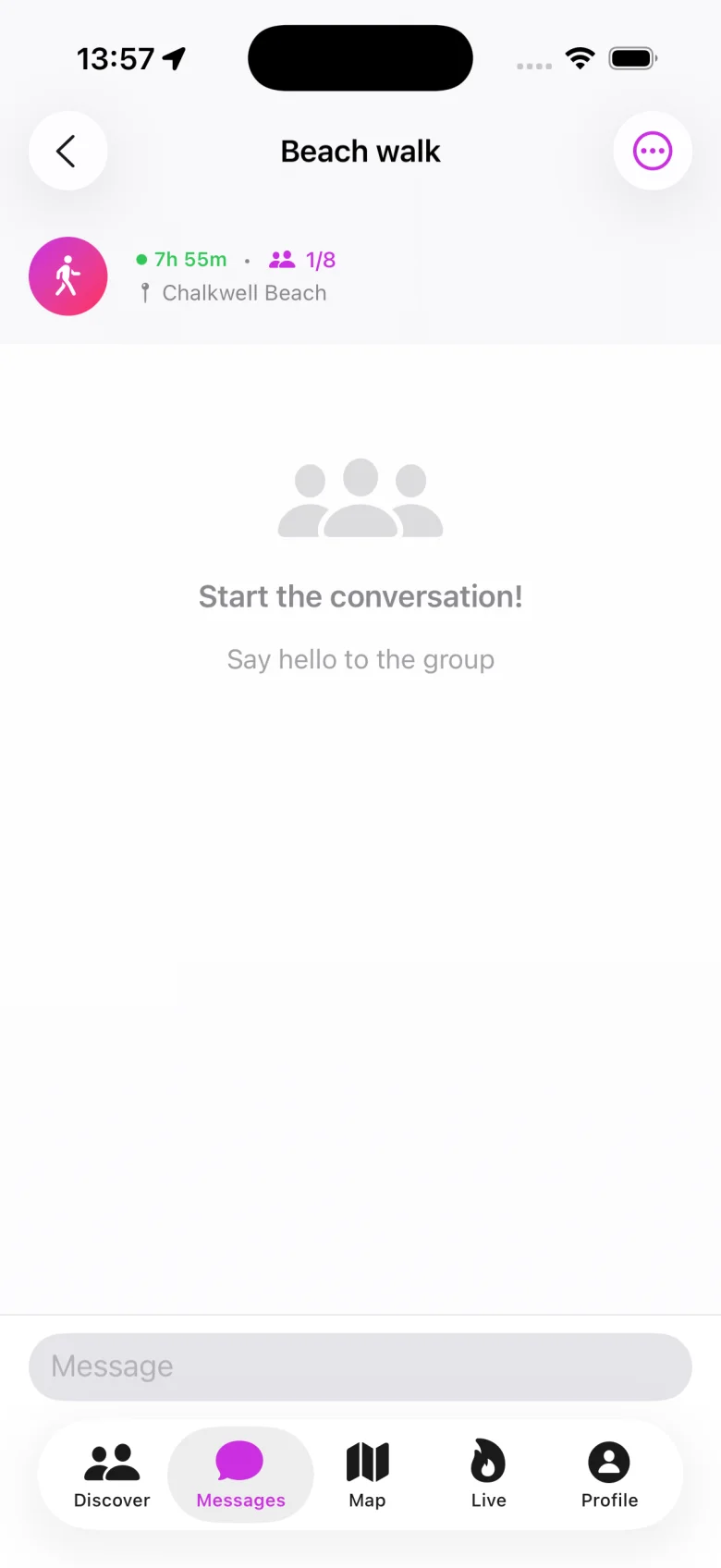
A beach walk in half an hour. A coffee at four. Hangouts are tiny by design: two to eight people, and a group chat that winds down when it’s over.
04Discover
A few good people a day.
Not a deck to swipe through. A short list chosen for you each day, or describe who you’d like to meet and let the connection finder go looking.
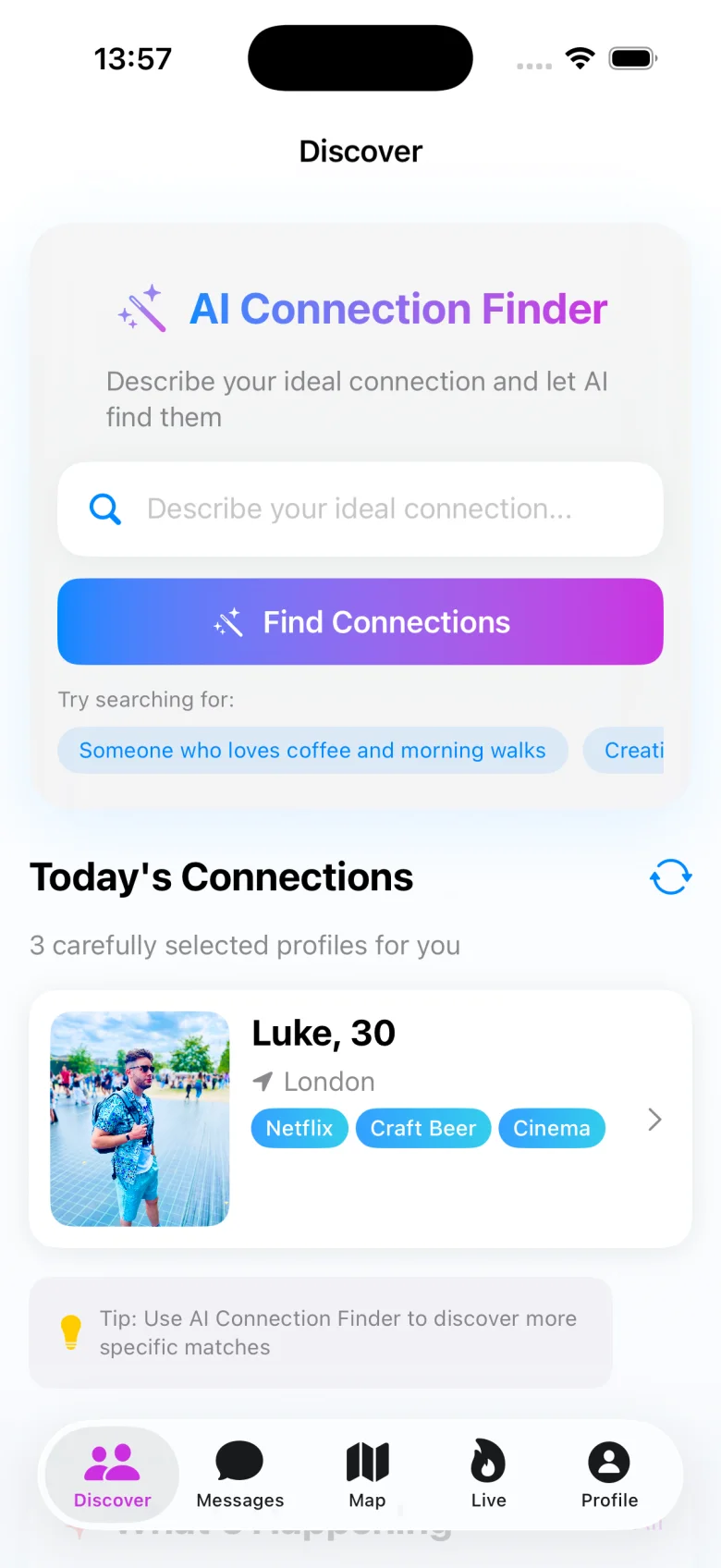
Fig. 2The map, filtered by mood along the top.
Fig. 3Go Live. Nothing here stays on by accident.
Fig. 4A beach walk at Chalkwell, one of eight places taken.
Fig. 5Discover, with today’s three suggestions.
And on the same map…
- 05
Shouts
A short post pinned to the map, typed or recorded in your own voice. Nothing lingers.
Text fades in 12 hours, voice in 24
- 06
Events
Public, unlisted or invite-only. RSVPs, a discussion thread and a share link come built in.
Up to 50 people
- 07
Crossed Paths
Shout notices when you and another member were in the same spot at the same moment, and tells you both afterwards.
Off until you switch it on
- 08
Looking Now
Free for an hour? Say so, and anyone nearby can message you. No connection needed first.
Times out after 60 minutes
- 09
Assistant
Ask what’s on around you tonight, or for an opener when you can’t think of one.
Built into the map
- 10
Local offers
Cafés, bars and studios post deals and events in the one place locals are already looking.
From businesses near you
(03)How it works
Three steps.One of them is outdoors.
Step 1 of 3 · Takes about two minutes
Open the map.
Set up a profile in a couple of minutes, then see your town as it is right now: who’s out, what’s on, what people are saying.
Step 2 of 3 · Always your call
Put yourself on it.
Go live for a few hours, post a shout, start a hangout or create an event. It’s always your call, and it always switches itself off.
Step 3 of 3 · The bit that happens outdoors
Go and meet them.
Join the walk. Turn up to the open-mic. Say hello to the person you keep crossing paths with. That’s the whole point.
(04)Safety & privacy
Your location,on your terms.
An app built around where you are has to be careful with where you are. These aren’t settings buried in a menu. They’re how Shout works.
Read the privacy policy- 1
Visible only when you say so
You appear on the live map when you choose to go live, never by default. Stop whenever you like. If you forget, it ends itself after a few hours.
- 2
A nudged pin
Your pin is shifted off your true position by a random offset. The map shows roughly where you are, not the exact spot you’re standing on.
- 3
Nothing hangs around
Shouts expire within a day. Live sessions and Looking Now time out on their own. Crossed Paths is opt-in, and the location points behind it are deleted after 48 hours.
- 4
Block, report, real people
Block anyone instantly. Every report lands with a human moderator who can remove content, suspend or ban.
- 5
Adults only
Shout is strictly 18+. Accounts we believe belong to anyone younger are removed.
- 6
Leave with everything
Delete your account from inside the app and your profile, photos, messages and location history go with it.
Started by the sea.Coming to your town.
Shout began life in Southend-on-Sea. It isn’t just Southend any more. We switch Shout on one area at a time, so that the day it reaches you the map already has people on it. Not tumbleweed.
Nominate your townFig. 6Southend-on-Sea, 51.54° N 0.71° E. Where it started.
Yours next?(05)For local businesses
Be the placeeveryone’s heading.
The people on Shout are out, nearby and deciding where to go next. Add your café, bar, studio or shop from inside the app and you’re in front of them at exactly that moment.
- 1A profile on the map
- 2Offers
- 3Boosts
- 4Orders
- 5Events
(06)Questions
Good question.
01What actually is Shout?
A social app built around a live map of your local area. Instead of a feed of things that already happened somewhere else, you see the people, shouts, events and hangouts that are near you right now.
02Is it a dating app?
It’s a meeting-people app. Some members find a running partner or a five-a-side team, some find their new local, some find someone special. You decide what you’re there for.
03Who can see where I am?
You only appear on the live map when you choose to go live. Other members then see a pin that’s deliberately offset from your true position, for as long as your session lasts, and you can end it at any moment. Crossed Paths is separate and switched off by default. If you turn it on, it tells another member after the fact that you were both in the same place, never where you are now.
04Where is Shout available?
Shout launched in Southend-on-Sea and now opens area by area. You can download it anywhere, but posting and going live switch on when you’re inside a covered area. Tell us where you’d like it next.
05What does it cost?
Shout is free to download and free to use.
06Is there an Android version?
Yes: the Shout web app. Open web.shoutsocialmedia.app in Chrome and add it to your Home screen, and it works like any other app, with the same account as the iPhone app. It runs on tablets and computers too. Here’s how to install it.
07How old do I need to be?
18 or over, no exceptions. See our Terms & Conditions.
08How do I get my business on Shout?
Create a business account from inside the app, add your details, and your listing goes on the map. There’s nothing separate to sign up to.
Go on.
Make some
noise.
Your town’s already out there. Get Shout and see who’s around this evening.